
Shared calendar
Practices, birthdays, school meetings and shifts in one place, in each person's colour. Connect your Google, Apple or Outlook calendar, or take a photo of the preschool's monthly plan and the events go straight in.
Memor keeps track of the family calendar, the weekly meal plan, the shopping list, chores, the kids' day and more. All in one place, on your phone, tablet or in the browser.
No card needed to start. Works on iPhone, Android, iPad and computer.
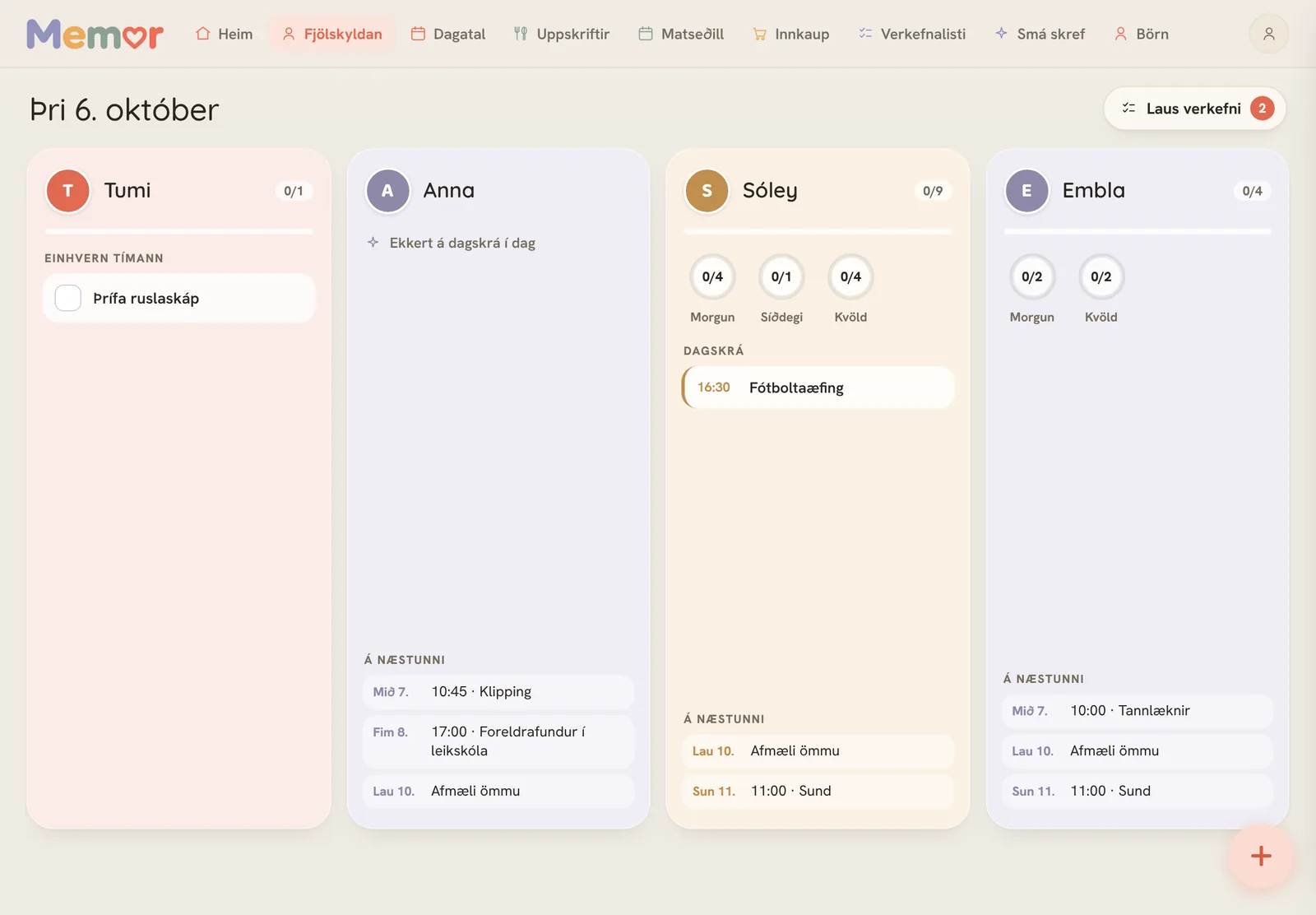
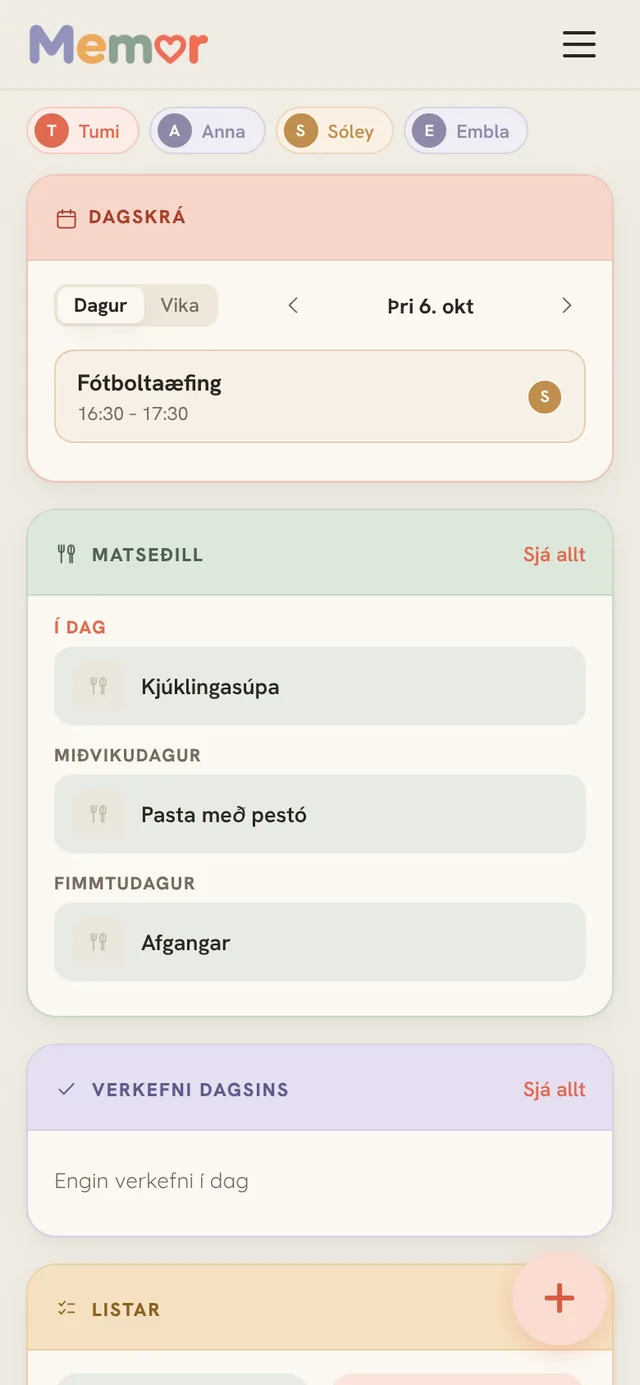
Instead of five different apps, notes on the fridge and messages back and forth.
Practices, birthdays, school meetings and shifts in one place, in each person's colour. Connect your Google, Apple or Outlook calendar, or take a photo of the preschool's monthly plan and the events go straight in.
Plan the week's dinners in a few minutes. All your recipes in one place.
One list everyone in the household can see. Ingredients from the meal plan go straight onto the list and you tick them off in the shop.
Repeating chores by day, week or month. Tasks nobody is assigned to wait as open tasks that anyone can pick up.
Morning, afternoon and evening routines with picture cards the kids understand on their own, even before they can read. Stars and rewards for chores.
Put a tablet on the wall and everyone sees their day: the clock, what's on, dinner and who does what. Send a message to the screen, count down to the next big day, and the screen dims at night.
Regular bills with due dates, the month's income and shared savings goals. A simple overview you switch on if you want it, not connected to your bank.
Log what you did as you go. Sort chores into rooms, see how long it's been since last time and what you got done this week.
A notification before an event starts, when the timer runs out, or when someone sends an urgent message to the household.
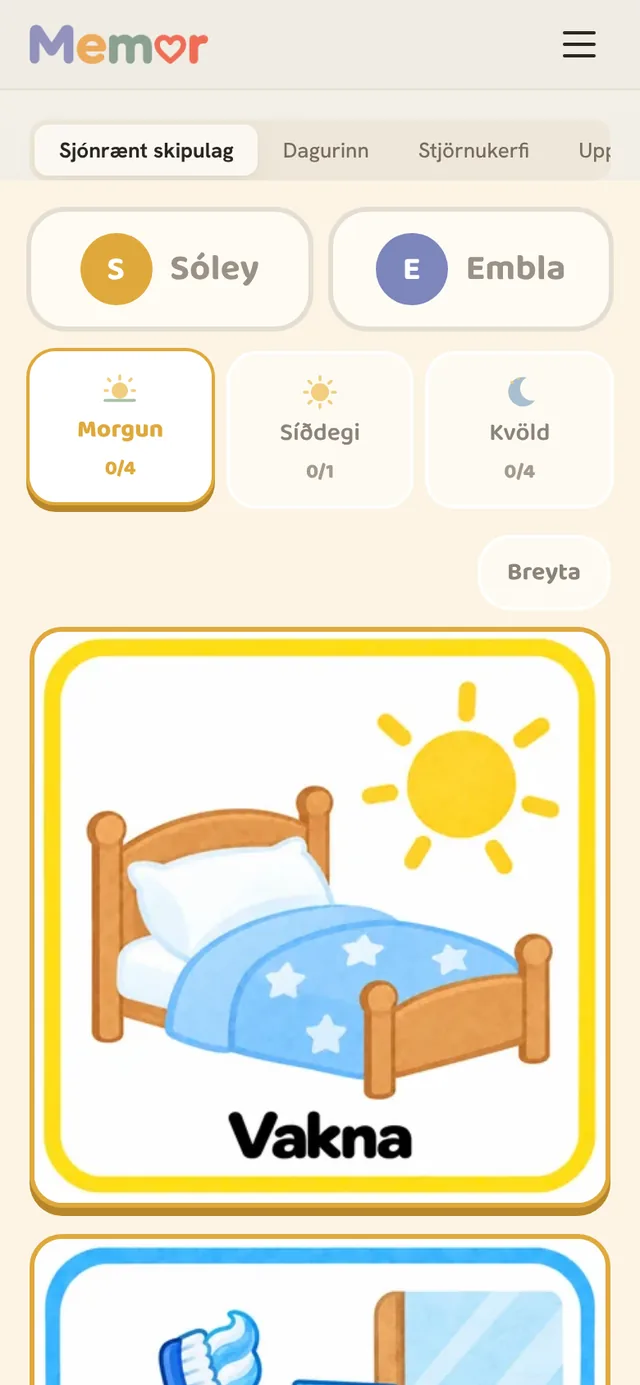
In the Kids section each child gets their own visual routine. Big picture cards show what to do and the child ticks them off. Less nagging, more independence.
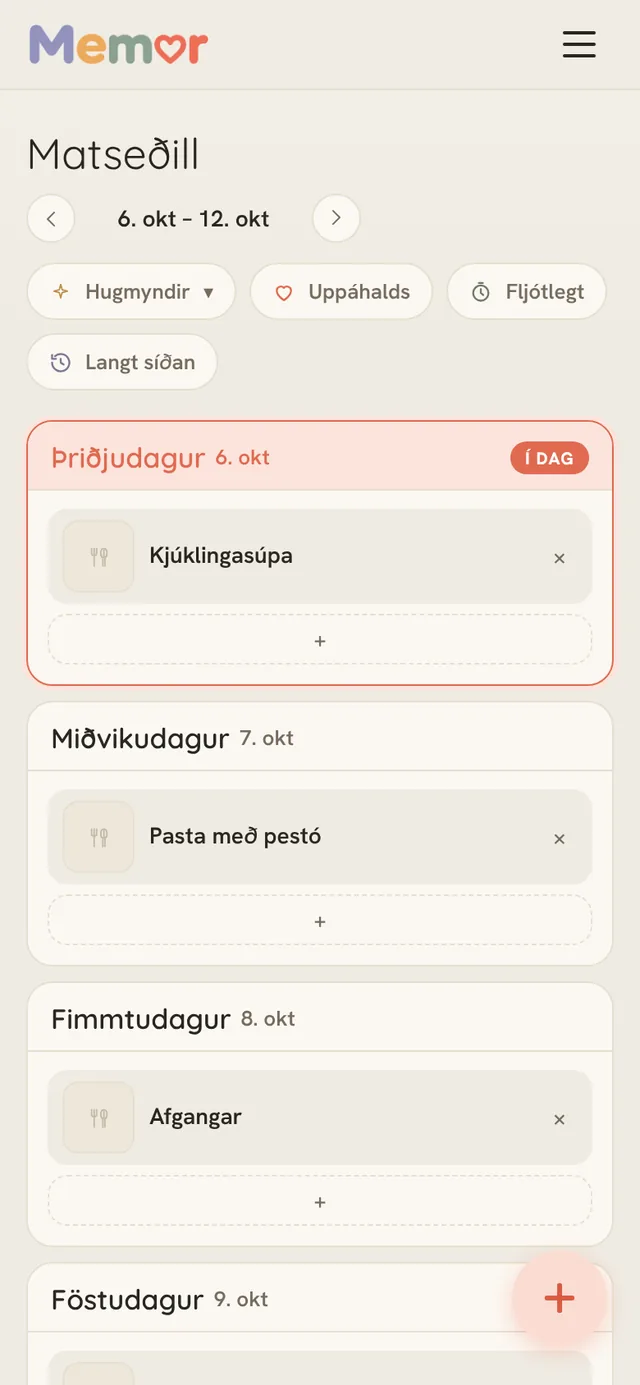
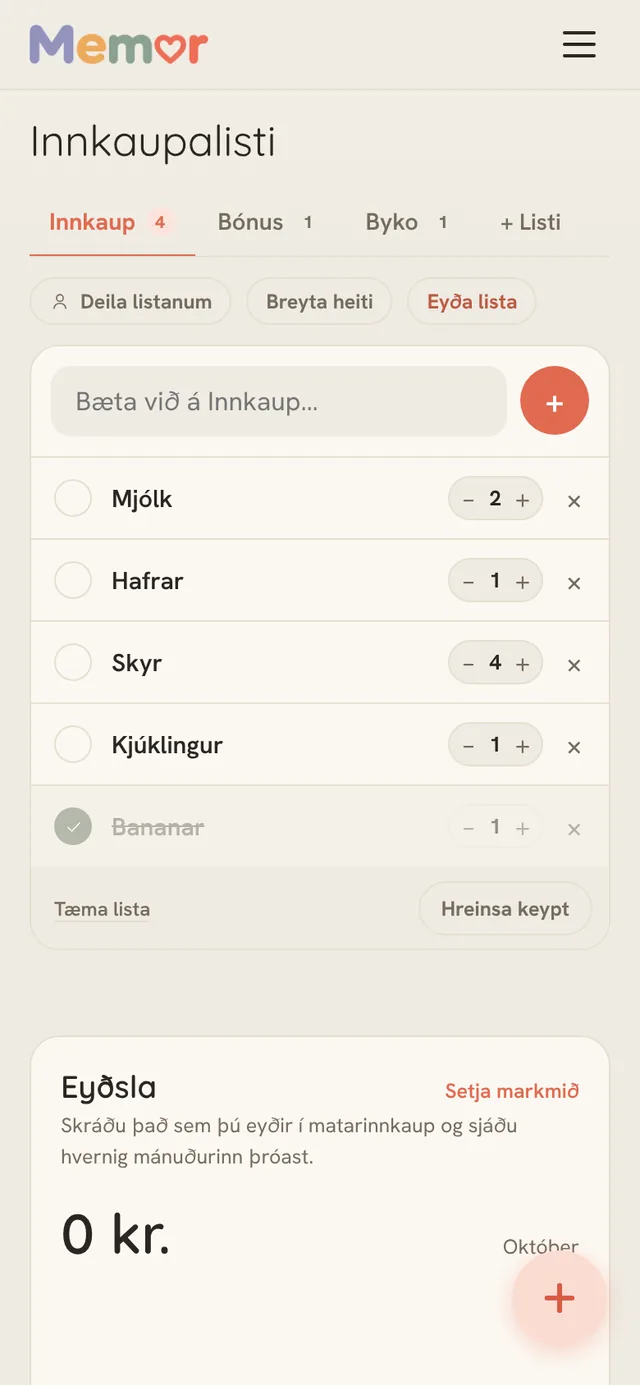
Put dishes on the week, press one button and the ingredients are added to the shopping list. Whoever goes to the shop sees the list on their phone and everyone sees what's been bought.
Organising the home shouldn't take too much of your time.
One subscription covers the whole family. Invite your partner or other adults to the household and share the same calendar, meal plan and lists.
Payment is handled securely through Teya.
No card needed to try.
Yes. Memor works in English and Icelandic. You choose the language in the settings.
No. Memor opens in your browser and you add it to the home screen on your phone or tablet. After that it opens like any other app. On a computer you can use Memor in the browser or pin it to the Dock or taskbar.
The first 14 days are free and no card is needed. After that you choose a plan: 1 month for 1,790 ISK, 6 months for 8,900 ISK or 12 months for 14,900 ISK. Plans do not renew automatically. You only pay for the period you choose and decide yourself whether to continue, so nobody ends up paying for a subscription they forgot to cancel.
Yes. Calendars from Google, Apple and Outlook show up in Memor and update automatically. You choose who in the family each event belongs to.
Yes. You invite other adults to the household and you all see the same calendar, meal plan and lists, each on your own phone. The kids use the Kids section on a parent's device.
Yes, if you want to. Under Finances you add regular bills, income and savings goals and tick off bills as they are paid. Memor does not connect to your bank, and the section stays hidden until you switch it on in the settings. Teens in the household do not see it.
Your data is stored on servers in Europe. More details are in the Memor privacy policy.